
Product Management
How to Edit Products in Your Google Business Profile
Google Business Profile (GBP) allows businesses to showcase products directly on Google Search and Google Maps, making it easier for customers to find what you're offering. This feature helps your business attract more attention, improve local search visibility, and increase conversions.
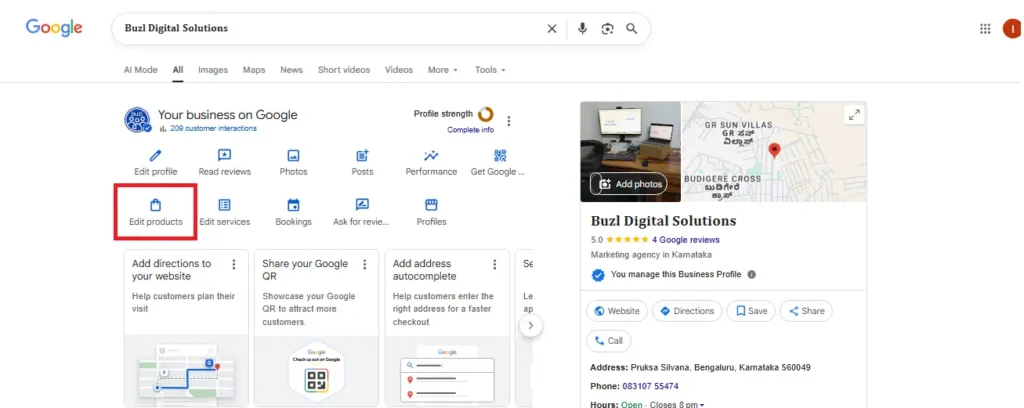
If you're looking to edit a product in GBP, here's an informative, step-by-step guide to help you make the most of the "Edit Products" feature, along with best practices and examples for optimizing your product listings.
Why Editing Products in Google Business Profile is Crucial
Editing and maintaining your Google Business Profile products section is essential for several reasons:
- Increased Visibility: Products listed on GBP can appear directly in Google search results or Google Maps, allowing you to be discovered easily by customers looking for specific products.
- Improved Local SEO: The more detailed and accurate your product listings are, the more likely Google will match your business with relevant local search queries. Regularly updating your products ensures they’re properly indexed for relevant keywords.
- Customer Trust and Conversion: Having clear, up-to-date product information builds trust with potential customers, which directly impacts your sales and conversions. When customers see accurate prices, high-quality images, and descriptive details, they are more likely to reach out or make a purchase.
What Can You Do in the “Edit Products” Section?
Google allows you to add, update, and remove products listed on your profile. Here's a breakdown of what you can do:
1. Add New Products
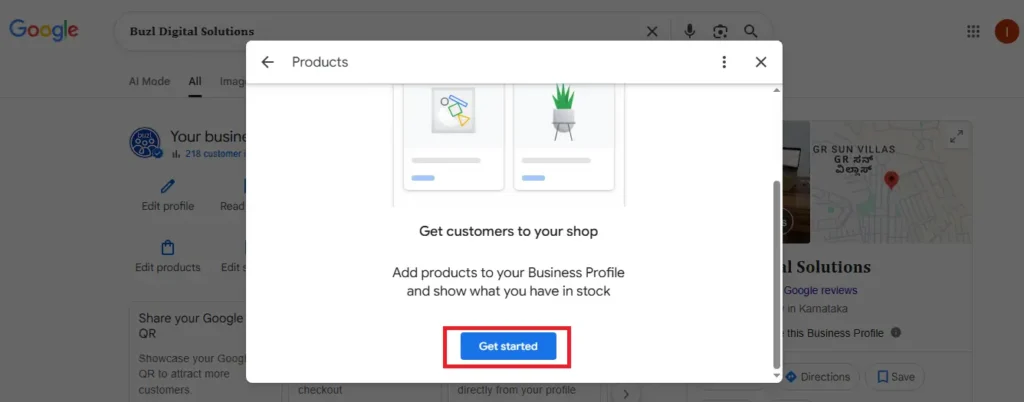
Adding new products allows you to expand your offerings in Google Business Profile, making them visible to users searching for specific products related to your business.
How to Add a New Product:
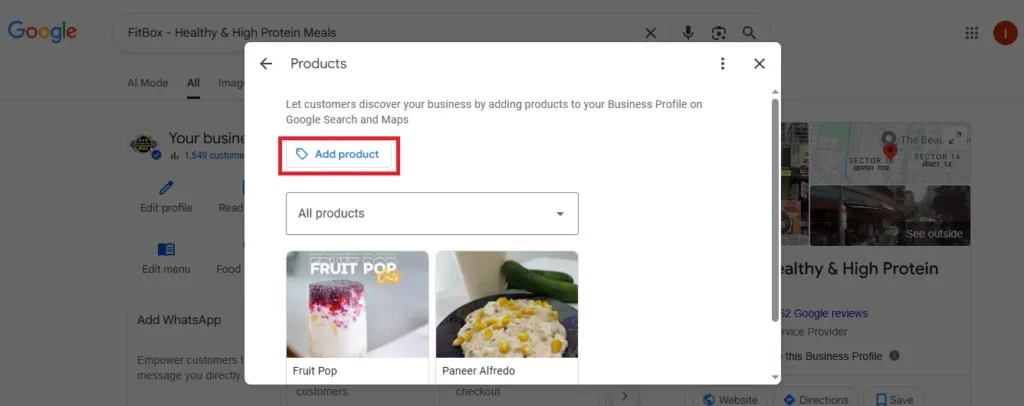
- Sign in to your Google Business Profile account.
- Click on the Products tab in your profile.
Select Add Product to start a new listing.
Why Adding New Products is Important:
- It helps you appear for more relevant search terms, which increases your chances of being discovered.
- It keeps your profile fresh and informative, showing customers exactly what you have to offer.
- New products can attract customers who are specifically searching for them.
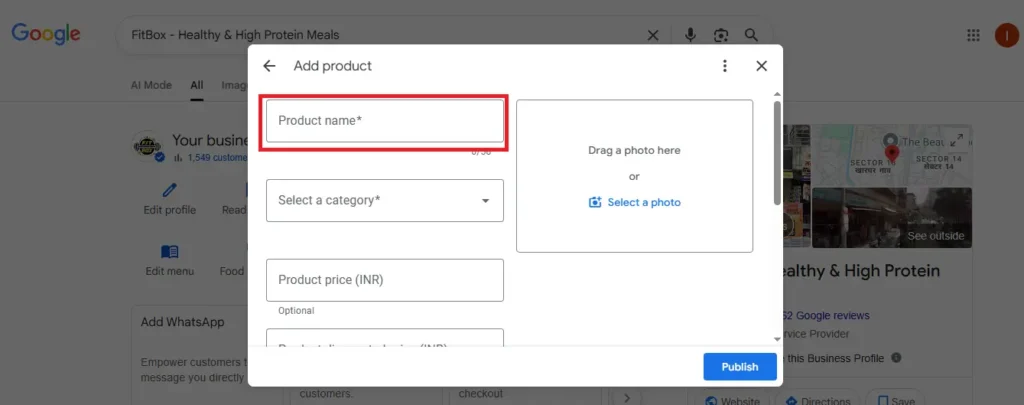
- Make sure the product name is straightforward, relevant to the customer’s search, and within the 58-character limit to ensure visibility.
Example:Let’s say you own a boutique and recently started selling Handmade Leather Wallets. By adding these wallets to your Google Business Profile, you can target customers who are searching for “handmade wallets” or “leather wallets near me.”
Product Related Category for Select in Google Business Profile
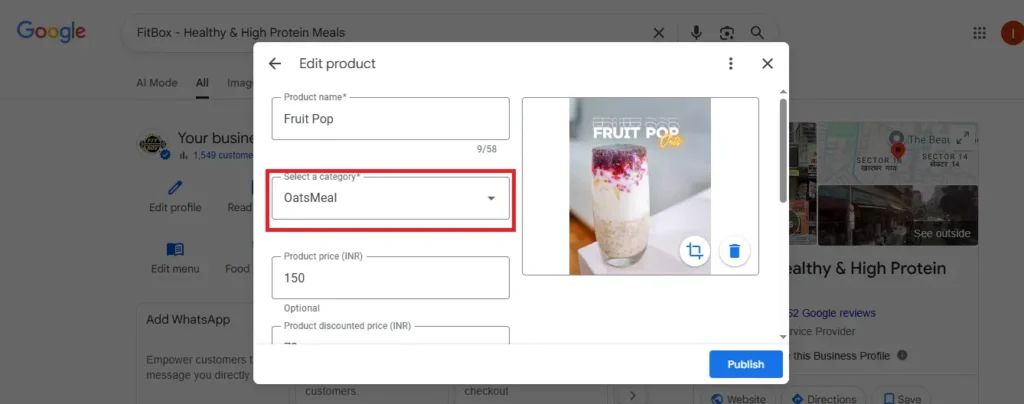
When adding a product to your Google Business Profile, one of the most critical steps is selecting the correct product category. The category you choose will directly impact how your product is displayed in Google Search and Google Maps. It helps Google understand what you’re offering, so it can show your product to people searching for that specific type of product.
Why Is the Product Category Important?
Google uses the product category to match your business and products with relevant search queries from potential customers. Selecting the right category ensures that your product is shown in Google Search or Google Maps when someone searches for something related to what you offer.
Example:
- If you sell women's shoes, selecting the “Shoes” category helps your product show up when someone searches for "women's shoes near me" or "buy shoes online."
The correct product category also helps improve your local SEO services by increasing the likelihood that your business appears in location-based searches. It allows Google to better match your product with customer intent — improving the chances of visibility and conversion.
2. Update Existing Products
You can modify the details of products that are already listed on your Google Business Profile, including:
- Product Name: Update if the product has changed or if you want to optimize for SEO.
- Description: Add more detailed information, include relevant keywords, and improve clarity.
- Price: If the price of a product changes, you can update it accordingly.
- Image: If your product has a new or better image, you can replace the old one.
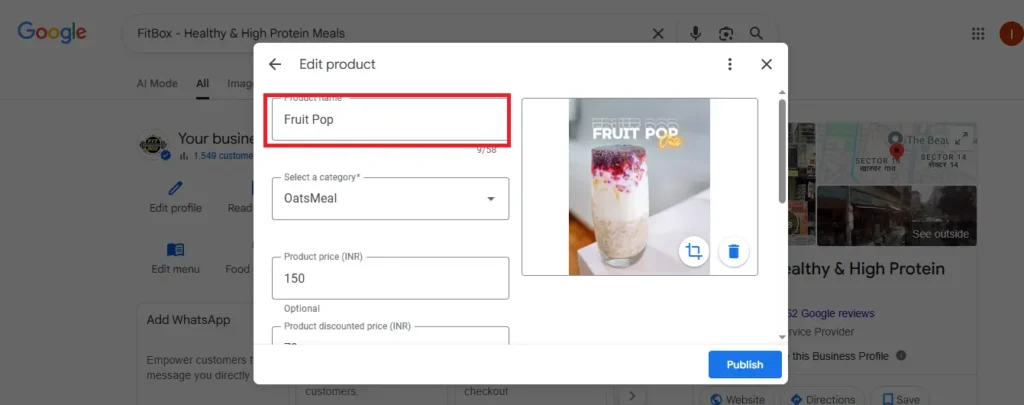
Why You Should Update Existing Products:
- Improved Accuracy: Keeping your product information updated helps ensure your customers are seeing accurate and current details about your offerings.
- SEO Optimization: Regularly updating your product descriptions with keywords can help you rank higher in relevant local searches.
- Customer Transparency: Changing prices or adding more details will make your product more appealing and trustworthy to customers.
Example:
If you own a café and have a Cold Brew Coffee listed at ₹150, but you recently raised the price to ₹180 due to new sourcing costs, it’s important to update the price on your Google Business Profile. Keeping this information current avoids confusion and ensures that potential customers are aware of your pricing.
3. Remove Unavailable or Discontinued Products
Sometimes, products are discontinued or temporarily unavailable. In such cases, it's important to remove them from your Google Business Profile.
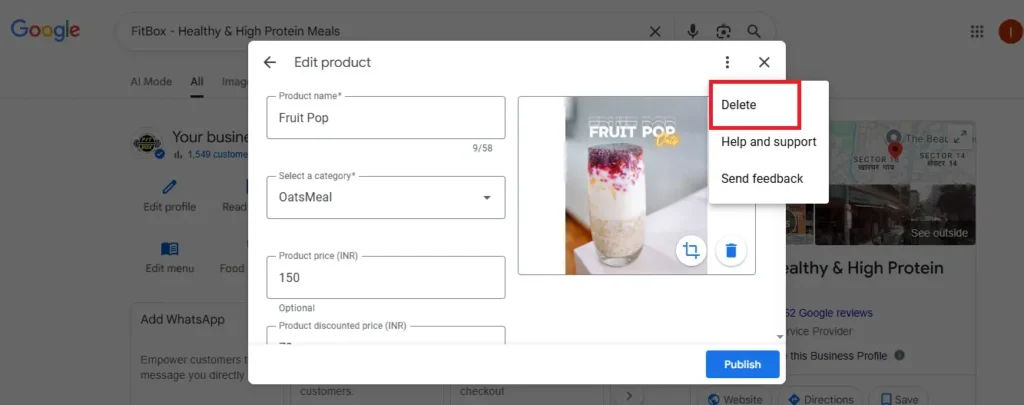
Why Removing Products is Important:
- Prevents Customer Confusion: If you have products listed that are no longer available, customers may get frustrated or confused when they can’t find them.
- Improves Search Results: Google favors up-to-date, accurate information. Removing outdated products helps your profile look clean, relevant, and professional.
Example:
If you sell Winter Jackets seasonally and they are no longer available for the current year, remove them from your product list to avoid confusion. You can always add them back next season.
Images:
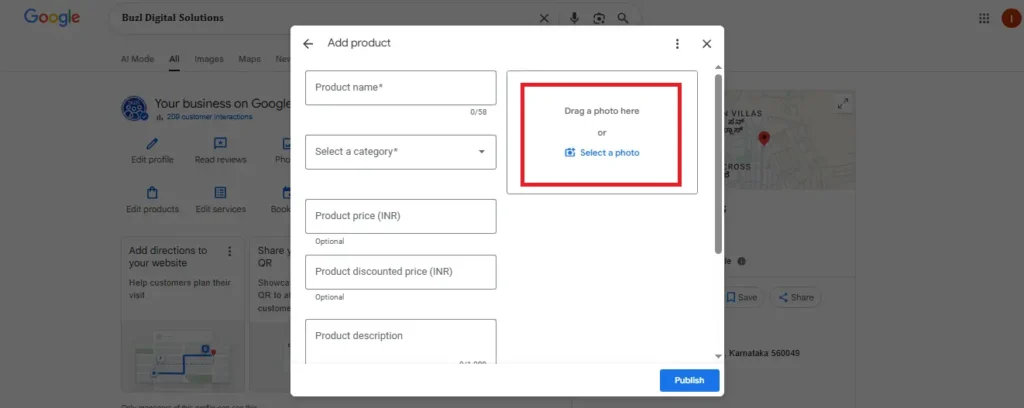
- Use high-quality images (preferably 800x800 or 1000x1000 pixels) to ensure the product looks attractive and is presented well.
- The image should reflect the product's features and be appealing enough to encourage clicks or purchases.
Product Description Guidelines
When you add or update a product, you’ll need to write a product description. Google allows you to include a short description of each product to help customers understand its features and benefits. Here’s how to make your descriptions effective:
- Character Limit: Product descriptions can be up to 1,000 characters, but it’s best to keep them under 500 characters for readability.
- Start with the Main Keyword: Use the product name or the main keyword at the beginning of your description.
- Use Relevant Keywords: Add keywords that customers might use to search for your products, e.g., “leather handbags,” “organic skincare,” etc.
- Provide a Clear Overview: Briefly explain what the product is, what makes it unique, and any key features.
- Mention Benefits or Special Features: Include any benefits or special features, like "handmade," "gluten-free," or "environmentally friendly."
Avoid Promotional Language: Keep your descriptions factual and focused on what the product is, not exaggerated claims like “#1” or “best.”
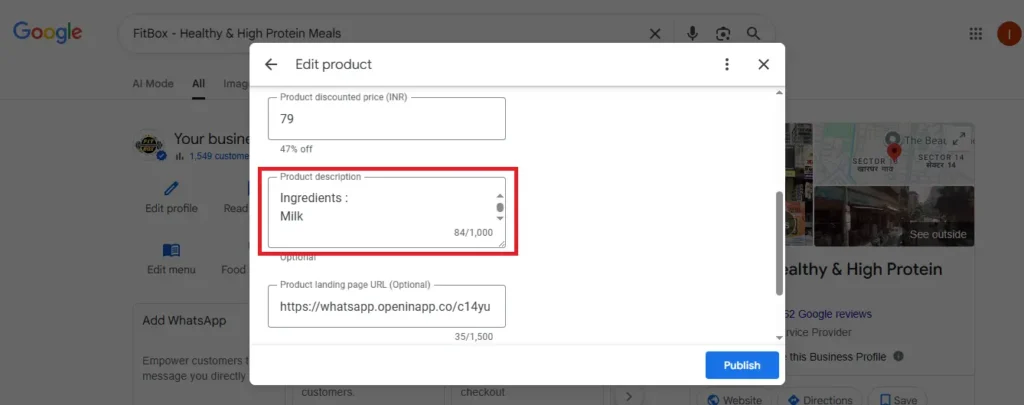
Best Practices for Writing Product Descriptions:
- Start with the product name.
- Include important details like material, size, or color.
- Mention unique selling points like “free delivery” or “customizable options.”
Benefits of Keeping Your Products Updated
- Increased Visibility: The more detailed and up-to-date your product listings are, the more likely Google will display your business when relevant product searches are made.
- Enhanced Trust: Accurate and comprehensive product details increase customer trust and improve your conversion rates.
Better Search Engine Rankings: Regular updates, keyword usage, and high-quality images help improve your local SEO and Google’s search algorithms.
Best Practices for Product Listings
- Use High-Quality Images: Make sure your product images are clear, professional, and show the product in its best light. Avoid using stock images.
- Keep Prices Updated: Always update your prices when they change to avoid misleading potential customers.
Editing products in your Google Business Profile is a powerful way to enhance your local SEO, attract more customers, and drive conversions. Regularly adding new products, updating existing ones, and removing outdated items ensures your profile stays relevant, accurate, and aligned with customer expectations.