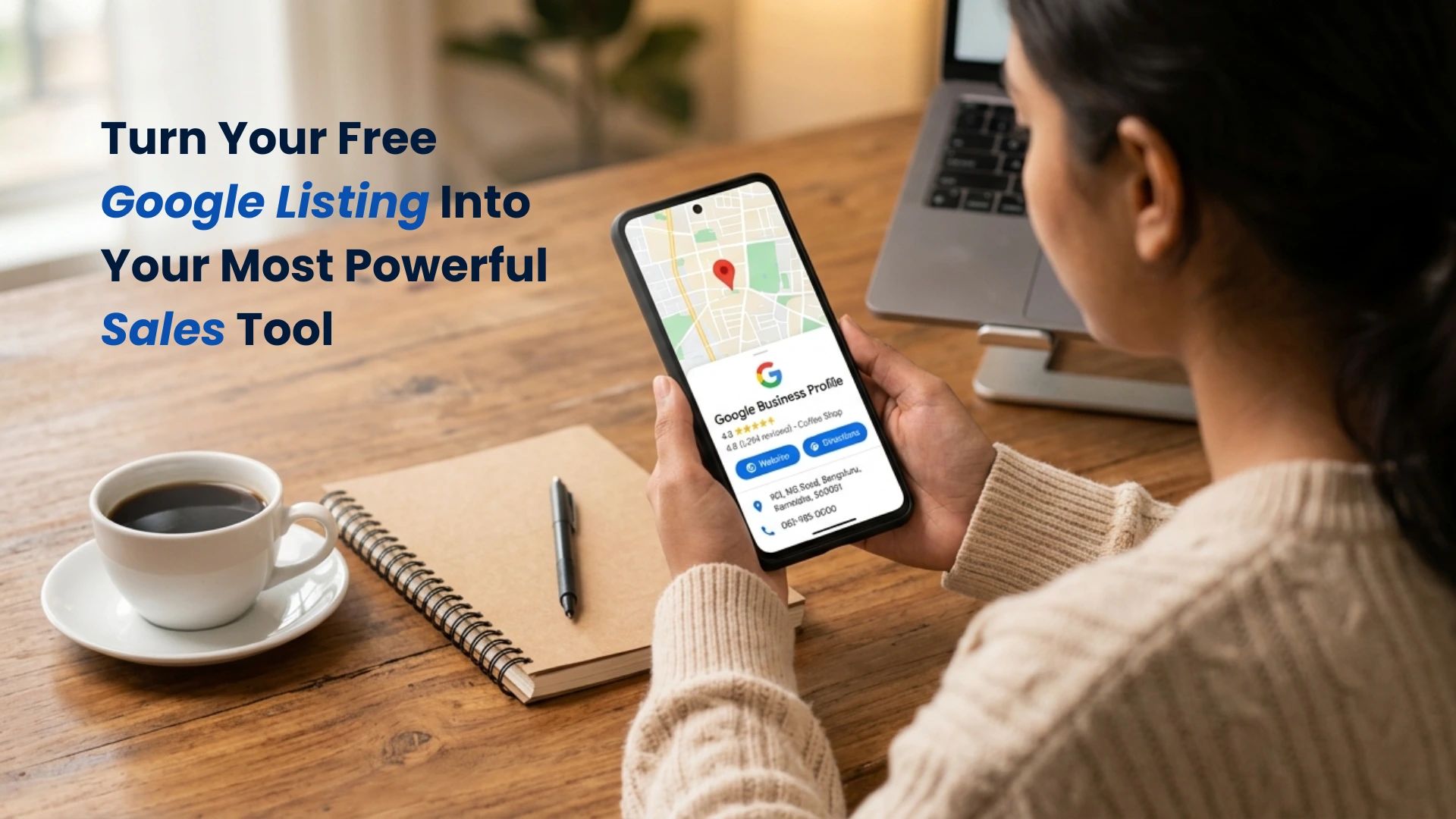
The Google Business Profile Masterclass for 2026
How to Turn Your Free Google Listing Into Your Most Powerful Sales Tool
A Complete, Step-by-Step Guide for Local Business Owners in India
Introduction: The Most Underused Free Tool in Indian Business
Here is a question worth sitting with for a moment: When did you last update your Google Business Profile?
If your honest answer is 'I set it up a couple of years ago and have not touched it since,' you are not alone — and you are leaving a significant amount of business on the table every single day.
Google Business Profile (GBP) — formerly known as Google My Business — is, without question, the most powerful free digital marketing tool available to any local business in India. It is the reason your salon appears in that top-three map listing when someone nearby searches 'best salon near me.' It is the reason your restaurant gets called on a Saturday evening from someone who has never heard of you before. It is the digital shopfront that millions of Indians see before they ever visit your actual shopfront.
And yet, the vast majority of local business owners treat it as a one-time task — fill in the basics, add a phone number, maybe upload a couple of photos, and move on. That approach made sense in 2019. In 2026, it is a costly mistake.
The landscape has changed dramatically. Google's AI-powered search features — including AI Overviews and the newly launched Ask Maps — now pull heavily from GBP data when generating responses to local queries. Voice search assistants answer questions like 'Where is the best chartered accountant near Koramangala?' by reading your GBP. Your potential customers are now getting direct answers from AI — and those answers are built almost entirely from the information on your Google Business Profile.
This guide is for every local business owner, marketing manager, or entrepreneur who wants to understand exactly how GBP works in 2026, what has changed, and how to optimise every single section of your profile to become the business that AI recommends — and that customers choose.
Section 1: Why Google Business Profile Matters More Than Ever in 2026
From a Listing to an AI Data Source
When Google Business Profile was first introduced, it served a relatively simple purpose: it told people where you were, what your hours were, and how to contact you. It was a digital Yellow Pages entry — useful, but passive.
In 2026, GBP is something far more significant. It has become one of Google's primary data sources for generating AI-powered answers to local queries. When someone asks Google's AI Overviews 'Which dental clinic in Indiranagar has the best reviews and is open on Sundays?' — Google's AI does not crawl ten websites and summarise them. It reads GBP data. Your profile, your reviews, your photos, your services, your posts — all of it feeds directly into the answer the AI constructs.
This means that a well-optimised GBP is no longer just about appearing in the map pack. It is about being the business the AI chooses to name, recommend, or describe. It is about the quality and completeness of your profile feeding into a machine that is making buying decisions on behalf of millions of customers every day.
The Numbers You Need to Know
Consider these realities about local search in 2026 to appreciate the stakes involved:
- Over 65% of Indian smartphone users now use voice or conversational AI search at least once a week for local business queries.
- Businesses with complete, optimised GBP profiles receive more than twice the number of direction requests and website clicks compared to those with incomplete profiles.
- 88% of consumers who search for a local business on their phone either call or visit that business within 24 hours — and the majority of those searches now involve some form of AI-assisted result.
- Google uses GBP reviews as one of the top three ranking signals for local search results — both in the traditional map pack and in AI-generated responses.
- Profiles with recent photos receive significantly more engagement than those with outdated or no photos, because Google's systems interpret regular photo uploads as a signal of an active, legitimate business.
Your Google Business Profile is no longer just a listing. It is a living, AI-readable portfolio of your business. Every section you fill in, every review you earn, every photo you upload, and every post you publish adds to the picture that Google's AI builds of you — and directly influences whether it recommends your business to someone who has never heard of you.
Completeness is not optional. Activity is not optional. In 2026, they are the cost of entry.
Section 2: The Complete GBP Optimisation Checklist — Section by Section
Most business owners are surprised to learn just how many sections a Google Business Profile actually contains — and how many of those sections they have left incomplete. Let us walk through every major section, explain why it matters, and tell you exactly what to do with it.
| # | GBP Section | What to Do |
|---|---|---|
| 1 | Business Name | Use your exact, real business name. No keyword stuffing. No taglines. |
| 2 | Category (Primary) | Choose the most specific, accurate primary category — this is the most important field after your name. |
| 3 | Additional Categories | Add 2–4 secondary categories that reflect other services you offer. |
| 4 | Business Description | Write a compelling 750-character description answering: who you are, who you serve, what makes you different. |
| 5 | Address / Area | Ensure exact consistency with your website and all other listings. |
| 6 | Service Area | If you serve customers at their location, define your service area by cities or pin codes. |
| 7 | Phone Number | Use a local number (not just a mobile). Consistent with website. |
| 8 | Website URL | Link to your homepage or a specific landing page — ensure it is working. |
| 9 | Hours of Operation | Complete all seven days. Update for public holidays. Use special hours features. |
| 10 | Services / Products | List every service/product with a name, description, and price if applicable. |
| 11 | Photos | Minimum 10 high-quality photos. Update at least 2 new photos monthly. |
| 12 | Google Posts | Publish at least one post per week — offers, updates, events, or tips. |
| 13 | Q&A Section | Populate your own Q&A with the top 8–10 questions customers actually ask you. |
| 14 | Reviews | Actively request reviews. Respond to every single one — positive and negative. |
| 15 | Attributes | Add all relevant attributes: Wi-Fi available, wheelchair accessible, women-owned, etc. |
Each of these fifteen sections contributes to your overall GBP completeness score — and Google rewards completeness with higher visibility. More importantly, each section is a piece of data that Google's AI reads and uses when constructing responses to local queries. Let us now examine the five highest-impact sections in detail.
Section 3: The Five Highest-Impact GBP Sections (Deep Dive)
1. Business Category — The Decision That Shapes Everything
Your primary business category is the single most influential field in your entire Google Business Profile. It tells Google not just what you do, but which searches you should appear for. Getting this wrong — or being vague — can suppress your visibility across an enormous range of relevant queries.
Google offers hundreds of specific categories. The mistake most business owners make is choosing a broad, general category when a specific one exists. 'Restaurant' is a category. So are 'South Indian Restaurant,' 'Biryani Restaurant,' 'Vegetarian Restaurant,' and 'Family Restaurant.' If you run a South Indian restaurant, choosing the specific sub-category tells Google exactly which searches to show you for — and AI-powered local searches are increasingly precise.
Worked Example: A yoga studio in Pune spent two years listed under the general category 'Fitness Centre.' After a GBP audit, they changed their primary category to 'Yoga Studio' and added secondary categories of 'Pilates Studio' and 'Meditation Centre.' Within six weeks, their profile views doubled and they began receiving calls from people who had searched for yoga specifically — a query type their profile had previously not appeared for at all.
Action: Go to your GBP right now and search for the most specific category that accurately describes your primary business offering. Use Google's category search tool within GBP to explore all available options. Add up to four additional secondary categories to cover other services you provide.
2. Business Description — Your 750-Character Sales Pitch to AI
Your business description is one of the primary text sources that Google's AI reads when it tries to understand what your business is and who it serves. It is also the text a potential customer reads when they click 'Learn More' on your profile. It needs to do both jobs simultaneously.
An effective 2026 GBP description is not a list of services or a generic corporate statement. It is a direct, human, specific answer to the question: 'Why should someone choose this business over every other option near them?'
Here is the structure that works best:
- Sentence 1–2: Who you are and what you specifically do (include your location and primary service).
- Sentence 3–4: Who you serve and what specific problem you solve for them.
- Sentence 5–6: What makes you genuinely different — your unique approach, credentials, experience, or community.
- Sentence 7: A soft call to action or invitation.
Example — Before (weak): 'We are a digital marketing agency offering SEO, social media, and website design services. We have been in business since 2017 and serve clients across India. Contact us for a free consultation.'
Example — After (strong): 'Buzl helps local businesses in India get discovered online through AI-powered search and Local SEO. We specialise in Google Business Profile optimisation, GEO strategy, and digital visibility for small and medium businesses that want to grow without wasting money on ads. Our team has helped over 200 local businesses appear in AI search answers, Google Maps, and voice search results. Whether you are a restaurant in Bangalore, a clinic in Chennai, or a boutique in Pune — if your ideal customer is searching near you, we help them find you. Book a free discovery call today.'
The difference is night and day. The second version tells Google's AI exactly what to understand about the business — and gives a potential customer a compelling reason to call.
3. Reviews — The Trust Signal AI Values Most
If there is one element of your Google Business Profile that influences both human behaviour and AI recommendation more than any other, it is your reviews. The volume, recency, rating, and keyword content of your reviews are all factors that Google's ranking algorithms and AI systems weigh heavily when deciding which businesses to surface for local queries.
Think about this from a human perspective first: when you are about to try a new restaurant or book an unfamiliar service provider, what do you do? You read the reviews. Google knows this — and its AI has been trained to do the same. A business with eighty recent, highly-rated reviews that include specific mentions of the services offered will almost always outrank and outperform one with six old reviews, regardless of other factors.
The Indian Business Review Reality: Many Indian local businesses have twenty to thirty satisfied clients or customers per month but fewer than ten Google reviews in total. This is not because their customers are unhappy — it is because the business has never made it a habit to ask. Fixing this single issue can transform local search visibility within sixty to ninety days.
Proven Review Request Strategy Step 1 — Create a short link: In your GBP dashboard, copy your review link. Shorten it with a tool like bit.ly. Step 2 — Ask at the right moment: The ideal time to ask for a review is immediately after a positive interaction — when a customer compliments your food, thanks your team, or expresses satisfaction with a service. Step 3 — Make it personal: A WhatsApp message works better than email for Indian customers. 'Hi [Name], it was great serving you today! If you have a moment, your Google review would mean a lot to us: [link]' Step 4 — Respond to everything: Reply to every review within 48 hours. For positive reviews, thank the reviewer and mention a specific detail they raised. For negative reviews, acknowledge the concern professionally and offer to resolve it offline. Never argue publicly. Step 5 — Systematise it: Assign one team member the weekly responsibility of reviewing who had a positive interaction that week and sending review requests. Aim for a minimum of four new reviews per month.4. Google Posts — The Real-Time Signal Most Businesses Ignore
Google Posts are short updates — similar to social media posts — that you publish directly within your GBP. They appear on your profile when someone views it in Google Maps or Search, and they serve a dual purpose: they give potential customers up-to-date information about your business, and they signal to Google's systems that your business is active, engaged, and worth prioritising.
Activity signals matter enormously in 2026. Google's AI is looking for businesses that are alive — not just listed. A profile that has not had a new post, photo, or update in six months sends a quiet signal that perhaps the business is not as active as it once was. A profile that posts weekly sends the opposite message: this business is thriving, current, and worth showing to people searching nearby.
What to Post and How Often: Aim for a minimum of one Google Post per week. Vary your content to keep it fresh and relevant:
- Offers and Promotions: Limited-time discounts, seasonal offers, or introductory packages for new customers.
- What's New Updates: A new service you have launched, a new team member who has joined, a new product you are stocking.
- Events: Workshops, open days, special events, or community participation.
- Tips and Insights: A short, helpful piece of advice relevant to your industry — showing expertise without being salesy.
- Client Stories or Results: A brief, anonymised success story or testimonial that illustrates the value you deliver.
Each Google Post should include a clear, action-oriented headline, a brief body of two to four sentences, a high-quality image, and a call-to-action button (Call Now, Book, Learn More, or Get Offer). Keep the language direct, warm, and relevant to your local audience.
5. Q&A Section — The Most Overlooked GBP Feature
The Questions & Answers section of Google Business Profile is one of the most powerful — and most neglected — features available. Anyone can post a question on your GBP, and anyone can answer it. If you are not actively managing this section, you may have unanswered questions sitting on your profile right now, or worse, questions that have been answered incorrectly by a well-meaning but misinformed stranger.
But the opportunity here goes beyond damage control. The Q&A section is one of the specific places Google's AI reads when constructing answers to conversational, question-format queries. If someone asks Google 'Does [your business type] near me offer home visits?' and your Q&A section clearly answers that question — you have a direct path to appearing in the AI's response.
How to Maximise Your Q&A Section: Do not wait for customers to ask questions. Proactively populate your Q&A by asking and answering your own most common customer questions. Log into Google Maps, find your business, scroll to the Q&A section, click 'Ask a Question,' type the question, and then respond to it from your business account. Here are the kinds of questions to include:
- 'What is the minimum order value for home delivery?' → Answer: [Your specific answer]
- 'Do you offer EMI or instalment payments?' → Answer: [Your specific answer]
- 'Is parking available at your location?' → Answer: [Your specific answer]
- 'Do you serve vegetarian/vegan options?' → Answer: [Your specific answer]
- 'What is your cancellation or refund policy?' → Answer: [Your specific answer]
- 'Do you offer a free consultation or trial?' → Answer: [Your specific answer]
Add eight to ten well-written Q&A pairs covering the practical questions that determine whether a potential customer decides to contact you. This single action can noticeably improve both your GBP engagement and your likelihood of appearing in AI-generated local answers.
One of the most significant factors in AI visibility is what others say about you — not what you say about yourself. AI models are, by design, sceptical of self-promotion. A business that only appears on its own website, talking about how great it is, does not carry much weight.
What AI tools are looking for is corroboration — independent confirmation from credible sources that your business exists, does what it claims to do, and does it well. This includes mentions in industry publications, guest articles on reputable websites, reviews on trusted platforms like Google, Trustpilot, or industry-specific directories, podcast appearances, and news coverage.
If your digital footprint consists almost entirely of your own website and social media profiles you control, the AI has very little external evidence to draw on — and very little reason to trust or cite you.
Section 4: Case Study — How a Chennai Boutique Transformed Its Local Visibility
The Business: Ananya Collections, T. Nagar, Chennai
Ananya Collections is a women's ethnic wear boutique in T. Nagar, Chennai — one of India's most competitive retail markets. The owner, Priya, has run the business for seven years and has a loyal base of returning customers. She had set up a Google Business Profile in 2021 but had not meaningfully updated it since. Despite having hundreds of satisfied customers and consistent foot traffic from word of mouth, her online visibility was minimal.
When Priya searched 'ethnic wear boutique T. Nagar' on Google, she found herself on the third page of results — buried beneath several competitors she knew were smaller and less experienced than her store. When she tested Google's AI search with the query 'Where can I buy quality silk sarees in T. Nagar Chennai?', her business was not mentioned at all.
The Audit: What Was Found
- Business category was set to 'Clothing Store' — missing the more specific options of 'Saree Shop,' 'Women's Clothing Store,' and 'Bridal Shop' that were all available and relevant.
- Business description was three generic sentences: 'We sell women's ethnic wear. We have a wide range of sarees and suits. Visit us in T. Nagar.' No mention of specialisations, price range, occasions served, or what made Ananya Collections unique.
- Seven reviews in total — despite having served hundreds of customers. No review requests had ever been made.
- Fifteen photos, all uploaded at launch in 2021. No new photos in over three years.
- Zero Google Posts published, ever.
- Q&A section completely empty.
- Services section had only one entry: 'Sarees.' No mention of wedding collections, customisation services, blouse stitching, or bulk orders.
The Optimisation: What Changed
- Category Update: Primary category changed to 'Saree Shop.' Secondary categories added: 'Women's Clothing Store,' 'Bridal Shop,' and 'Textile Shop.'
- New Business Description: A fresh 680-character description was written highlighting Ananya Collections' seven-year history, specialisation in Kanchipuram silk and wedding sarees, customisation service, in-store styling consultation, and the specific customer — women looking for curated, quality ethnic wear for weddings and festivals.
- Review Campaign: Priya began personally sending a WhatsApp message with a review link to every customer who made a purchase above Rs. 2,000. Within eight weeks, her review count grew from 7 to 61 reviews, with an average rating of 4.8 stars.
- Weekly Photo Updates: New in-store and product photos were uploaded every Tuesday and Friday — new arrivals, festive collections, and happy customer moments (with permission).
- Weekly Google Posts: Posts were published each Monday covering new arrivals, upcoming festivals and recommended outfits, seasonal promotions, and styling tips.
- Q&A Population: Ten questions were added and answered covering topics like price range, customisation availability, blouse stitching time, parking, and exchange policy.
- Services Section Expansion: Services were expanded to include: Kanchipuram Silk Sarees, Wedding Saree Collections, Designer Suits, Customisation Service, Blouse Stitching, Bulk Order for Events, and Corporate Gifting.
The Results — Four Months Later
The transformation in Ananya Collections' local visibility was significant and measurable. Google Maps direction requests increased by over 140%. Website visits from Google Business Profile grew from fewer than 20 per month to over 180 per month. Phone calls from the profile increased from approximately 8 per month to over 55.
Most strikingly, when Priya tested the same AI query that had excluded her four months earlier — 'Where can I buy quality silk sarees in T. Nagar Chennai?' — Ananya Collections was now one of two businesses mentioned in Google's AI-generated response, alongside a well-known larger competitor. For a boutique owner who had spent seven years building her reputation through word of mouth alone, the experience of seeing her name in an AI answer for the first time was, in her words, 'like suddenly becoming visible to the whole city.'
What This Case Study Proves You do not need a large marketing budget to dominate local search in your area. What you need is a complete, active, well-structured Google Business Profile — one that gives Google's AI enough information to confidently recommend you. Priya's transformation cost nothing except time and consistency. The seven sections she improved were all free. The results were not.Section 5: GBP and AI Search — The Connection You Must Understand
We have touched on this connection throughout this guide, but it deserves its own focused section — because understanding it changes how you think about every aspect of your GBP strategy.
Google's AI-powered features — including AI Overviews, Ask Maps (launched in early 2026), and the conversational AI integrated into Google Search — are increasingly the first point of contact between a potential customer and a local business. These features do not send users to a website first. They generate an answer and may — or may not — mention your business by name.
The primary data sources for these AI-generated local answers are: your Google Business Profile (the structured data it contains about your business), your GBP reviews (the volume, recency, rating, and text content), your website (particularly if it has structured schema markup), and third-party mentions (directory listings, press coverage, local citations).
What this means in practical terms is that every improvement you make to your GBP is simultaneously an improvement to your AI search visibility. Filling in your services section more completely is not just good practice — it is giving Google's AI more specific information to use when it constructs an answer to a query that your services are relevant to. Publishing a Google Post about your Diwali offer is not just customer communication — it is telling Google's AI that your business is actively operating and seasonally relevant.
| Incomplete GBP — What AI Sees | Complete GBP — What AI Sees |
|---|---|
| • Vague category ('Retail Store') | • Specific category ('Bridal Saree Shop') |
| • Generic 2-line description | • Rich 700-char description with niche detail |
| • 7 reviews, last posted 2 years ago | • 60+ reviews, new ones every week |
| • 15 photos from 2021 | • Active photo library, updated monthly |
| • No posts, no Q&A, no services | • Weekly posts, 10 Q&As, full services list |
| • Inconsistent address across platforms | • Consistent info across all platforms |
The difference in the table above is the difference between a business that AI skips over and one that AI actively recommends. Every field you complete, every review you earn, every post you publish is a data point that makes the AI's understanding of your business richer, clearer, and more trustworthy.
Section 6: Common GBP Mistakes Indian Business Owners Make
Having worked with hundreds of local businesses across India, the following are the most common GBP mistakes we encounter — and the ones with the highest cost to local visibility.
- Keyword Stuffing the Business Name: Adding keywords like 'Best Chicken Biryani' or 'Top Rated' to your business name field violates Google's guidelines and can result in your profile being suspended. Use your real, exact business name.
- Choosing a Category That Is Too Broad: 'Food & Beverage' when you run a bakery, or 'Health' when you are a physiotherapist. Google has specific categories for almost every type of business — always choose the most specific accurate option.
- Ignoring Negative Reviews: Many business owners either ignore negative reviews or respond defensively. Both approaches damage your reputation. A calm, professional response that acknowledges the concern and offers to resolve it shows every future reader that you take quality seriously.
- Using Personal Photos as Profile Photos: Your profile photo should be your logo or a professional exterior photo of your premises — not a personal selfie or a phone-quality snapshot.
- Not Verifying Multiple Locations Separately: If you have multiple branches, each needs its own GBP listing, individually verified and individually optimised. A single listing trying to cover multiple locations confuses both Google and customers.
- Setting 'Closed' Without Updating Special Hours: If you are closed on a specific public holiday but your profile still shows as open, Google may flag your business as temporarily closed — which suppresses your visibility even after you reopen.
- Never Responding to Any Reviews: Google interprets review response activity as an engagement signal. A business that never responds to any reviews — even positive ones — ranks lower than one that actively engages.
- Uploading Only Product Photos: Google wants to see the full picture of your business — your team, your premises, your work environment, and the experience of visiting you. Profiles with diverse photo content (interior, exterior, team, product, in-use) perform significantly better than those with only product images.
Conclusion: Your GBP Is a Living Asset — Treat It Like One
The businesses that dominate local search in 2026 — that appear at the top of Google Maps, that get recommended by AI, that get called first and visited most — are not necessarily the biggest or the oldest. They are the ones who treat their Google Business Profile as the dynamic, living asset it has become.
A great GBP is not something you set up once and forget. It is something you tend, update, grow, and invest in — consistently, over time. Every new review is a trust signal. Every new photo is a freshness signal. Every new post is an activity signal. Every new Q&A answer is a relevance signal. Individually, these actions are small. Collectively, they build a digital presence that Google's AI — and the customers it serves — cannot ignore.
For local businesses in India, where competition in dense markets like T. Nagar, Koramangala, and Linking Road is fierce, a fully optimised GBP is often the single most cost-effective thing you can do to grow your business. It is free. It is powerful. And most of your competitors are not doing it well.
The question is not whether you should invest time in your Google Business Profile. The question is: how much business are you willing to keep giving to the competitor who already has.
Your GBP Audit Checklist — Do This This Week ✔ Log into your GBP and confirm your primary category is the most specific available option. ✔ Rewrite your business description — aim for 650–750 characters, specific and compelling. ✔ Check your review count — if under 20, launch an immediate review request campaign via WhatsApp. ✔ Upload at least 5 new, high-quality photos today. ✔ Publish your first Google Post (an offer, update, or tip) — do this every week going forward. ✔ Add 8–10 Q&A pairs covering your most common customer questions. ✔ Expand your Services section — ensure every service you offer is listed with a description. ✔ Check that your address, phone number, and website are identical on GBP, your website, and all other platforms. ✔ Set a recurring calendar reminder to review and update your GBP every Monday.